
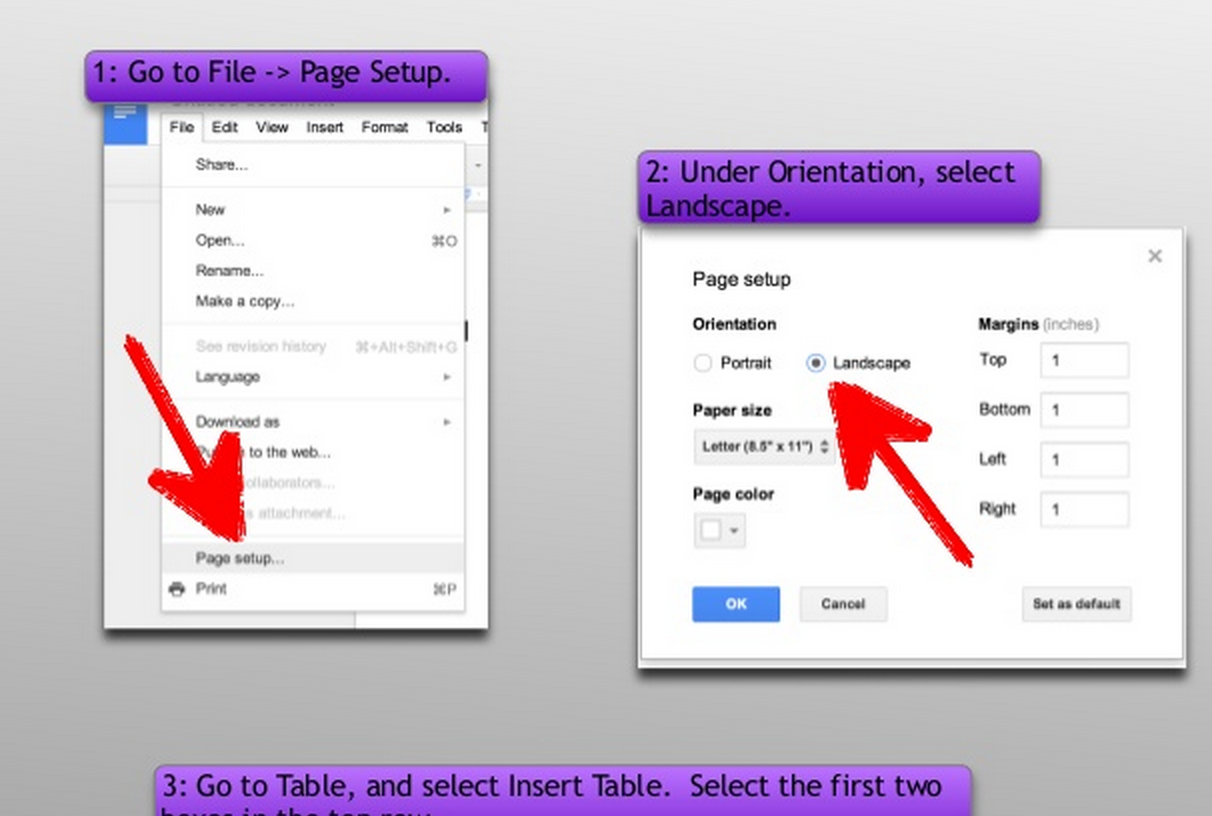
A question that popped up recently at my school was how to create a split page in Google Docs. What the teacher wanted was a landscape page with an area for writing on one side and an area for an image or drawing on the other. While Google doesn’t have a menu option for it, it is possible to create this using tables. Below is the tutorial I created for the class to use.
Create a Split Page in Google Docs





What a genius, head-slapping idea. Perfect for my iPad. Thanks for sharing!
So helpful!!!